

Most people at your company have questions about the business every day. Which clients spent the most last quarter. Whether last night's data sync ran. How this month's revenue compares to last year. The answers already sit inside your data platform. Getting to them usually means knowing where to click, or asking someone who does, and waiting.
The BEEM MCP Server changes that. It connects the AI assistant you already use to your BEEM data platform. It works with Claude, GitHub Copilot, Gemini, and ChatGPT. Instead of opening the app and hunting for the right screen, you ask a question in plain language and get an answer from your real, live data.
No SQL. No tab-switching. No analyst queue.
What an MCP server actually is
MCP stands for Model Context Protocol. It is an open standard that lets an AI assistant connect to an outside system and do real work inside it, not just talk about it.
Here is a simple way to picture it. Most AI assistants are capable but sealed off from your business. They can draft an email or summarize a document. They have never seen your sales numbers or your project margins. An MCP server is the secure doorway that lets your assistant reach into one system, with permission, and act.
The BEEM MCP Server is that doorway to your data. It is built around three things a generic connector cannot offer. It runs on your own BEEM account permissions. Your data stays in your dedicated and secure cloud environment, not exported to someone's computer. And it reaches every source you have already connected to BEEM, across 750+ available connectors. Your assistant works with your full, governed business data, the same data used in your reports and BI. It is modelled with the business rules your team has already vetted and published, not a sample you exported last week.
What this means if you are not technical
This is the part that matters for most people, because most people are never going to write a query.
Say you lead operations and you want your occupancy rate by site for the last twelve months. Today you either learn the platform or you wait for someone to pull it. With BEEM connected to your assistant, you type the question the way you would say it out loud. The answer comes back in seconds, drawn from your own numbers.
The everyday problems it removes:
- You have a question but you do not know where to look. Now you just ask.
- You want answers from your data, not a generic AI guess. The assistant reads your live business data, so the answer is real.
- You do not want to learn the whole platform. Plain language is the only interface you need.
- You are not sure it is safe. The assistant only ever sees what your user account has permission to see.
The technical people on your team gain something too. They can write, preview, deploy, and test data logic without leaving their assistant. But the bigger shift is that everyone else finally has a way in.
Getting started takes a few clicks
You do not need IT, a developer, or any software to install. If you have a BEEM account and an AI assistant that supports MCP, you are ready.
It works like adding any app connection. In your AI tool's settings, add BEEM as a connector through a single URL. Then sign in with your existing BEEM account. That is it. Your assistant can now see your workspaces and act on your behalf, inside the limits your account already has.
It works with Claude, GitHub Copilot, ChatGPT, Gemini, and other MCP-compatible tools, more than six clients in total. You sign in once and the connection stays active, with nothing to maintain on your side. The setup guide walks through every step, so you can connect your first workspace in minutes.
What you can do with it
Once connected, you can ask your assistant to do almost anything you would normally do inside BEEM. The server exposes 56 tools, which is a technical way of saying your assistant can take 56 different kinds of action on your data. In practice:
- Explore your data. Ask what datasets exist, what is in them, and pull a sample.
- Answer business questions. Ask for last month's sales, this quarter's margin, or your top clients, and get results from live data.
- Build and deploy reports. Describe a report in words. The assistant writes the logic, checks the output, and deploys it as a live view.
- Watch your pipelines. Ask whether any syncs failed overnight or whether a source is up to date.
- Keep data clean. Set up quality checks that run on a schedule and flag problems before they reach a dashboard.
Anything that used to mean opening the app, finding the right screen, and clicking through several steps now happens in a single message.
What it looks like in practice
The value is clearest in a real exchange.
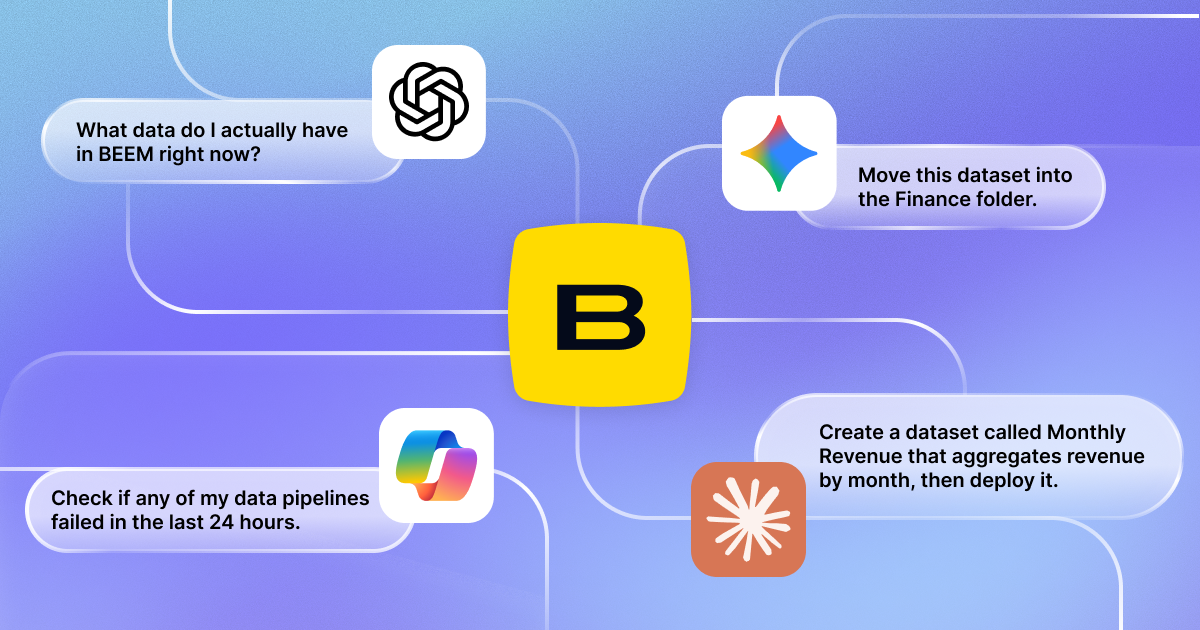
You ask: Create a dataset called Monthly Revenue that totals sales by month, then deploy it. The assistant writes the logic, previews the result, deploys it as a live view, and confirms when it is ready.
You ask: Did any of my pipelines fail in the last 24 hours? The assistant scans the history, filters for failures, identifies the affected datasets and sources, and tells you exactly what to look at.
Why this changes how your team works
The slow part of data work is rarely the thinking. It is the setup. Finding the right table, writing the query, checking it ran, reformatting the result. None of that requires expertise. It requires patience, and it is why so many good questions never get asked.
When an answer takes three days, people plan around the delay. They wait for the monthly report. They make the call on instinct. When the answer takes thirty seconds, people ask more questions, catch problems earlier, and make better decisions more often. Teams that put this to work get hours back every week, and they get there in days, not months.
And because the connection runs on your BEEM account permissions, nothing is exposed that should not be. BEEM is following SOC2, PIPEDA, and GDPR compliance frameworks, and your data stays in your own cloud environment. Everyone sees exactly what they are cleared to see, and no more.
Where to start
If your team already uses Claude, GitHub Copilot, Gemini, or ChatGPT, connecting BEEM gives those tools something real to work with. Your own data, live and governed. And if you want a hand setting it up, the BEEM team is there to help.
Start with one question. Point your assistant at your BEEM workspace and ask what datasets exist. Everything else follows from there.
Ready to connect your data? The setup guide walks you through it in a few clicks.
